

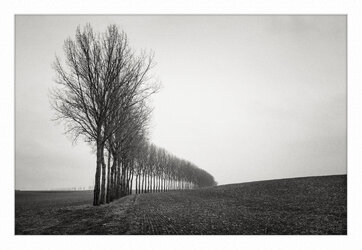
Nikon D7200 Nikon 17-55 f/2.8 DX PS/ColorEfex
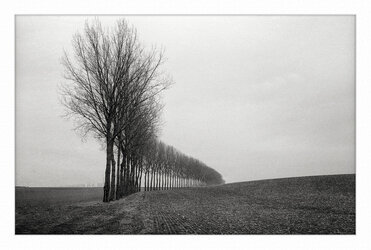
Nikon F3, Nikon 24-120 f/3.5-5.6 Ilford Delta 400, Ilfotec DD-X 1/4 6.5 mins, Nikon Coolscan IVED, Vuescan, PS/ColorEfex


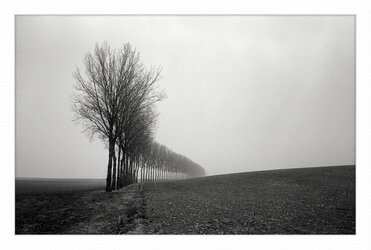

Is there a particular developer chemical that suits highlights when developing Martin?The reason why the grain becomes more evident when you bring the sky down from being very light to a darker tone is due to overexposure and development in the brightest areas.
Because we are dealing with a dynamic range of 5 stops where we can see texture (detail) usually from Zone 3 to zone 8 on the grey scale, you will find on a bright day that the lightest area, which in a landscape is undoubtedly the sky/clouds which should fall on around zone 7~8. When you develop roll films 35mm and MF you cannot alter the development time so suit the dynamic range, unless all the shots on the roll were taken in the same light with the same DR which is highly unlikely. If your range in the brightest part of the scene goes beyond zone 8 the films grain becomes exaggerated or even broken up as grain with patches of pure white , you usually cannot see that grain too much after scanning, it will be quite bright, however when you try to pull the brightness down the exaggerated grain is seen, and can look awful especially the small 35mm film.
One way around this, and because we are scanning and not developing to a particular paper grade is to reduce development time then build the contrast after scanning in Photoshop, I would suggest that you cut the normal development time by 15 or 20%, the shadows as long as they have been exposed correctly will not be affected only the higher tones from zone 7 and 8.
Another way is to use a semi-stand development, rather than reducing dev times by the amounts above reduce it by 10% minimal agitation is then given in the development process, the developer in the higher tones exhausts faster giving a lesser density on the negative, finer grain.
I would try the first method as semi-stand development can run into other problems, try it when you have a better understanding of whats happening during the chemical development process.
One word of caution, when reducing dev times make sure you don't go below the 5 min time, it can be a little too short for modern films.
Alan, makes no difference what film format you use if you don't get the correct exposure and dev times it will show even on Medium format film. It looks worse on 35mm because of its physical size in relation to the film type and its grain, plus enlargement (sizing in PS). Do the same as I have said by reducing dev times to MF as well as 35mm you will see an improvment
Is there a particular developer chemical that suits highlights when developing Martin?
Thanks Martin that's interesting, I'll give it a go. I am working on a scan at the moment which looks much more promising than any others that I have scanned before, so I don't want to give up just yet...Yes there are others, such as two-part developers Diafine, Pyrocat, Tetenal Neofine Blue, there normally called compensating developers, there are more out there.
They work by exhaustion in the higher zones giving a less dense negative with more detail without effecting grain. With Pyrocat HD I can have the Sun in the frame and get no blowout or exaggerated grain, the pinhole shots of Armscliffe Crag are a good example.

