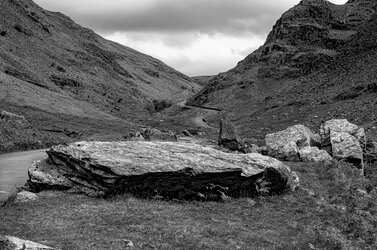
The western ascent of Honister Pass

John King

Well-Known Member
Registered
The road up the western side of Honister Pass doesn't improve give age (unlike a bottle of wine) Poor road surface, bolder strewn and with drivers finding out the Cumbria Passes are not like driving through the street's of leafy Surry
 

Attachments

  • DSC_0004 Ascent of Honister Pass.jpg
    DSC_0004 Ascent of Honister Pass.jpg
    3.2 MB · Views: 39
Great composition John, you should be pleased with it I think. Quite a lot less traffic than leafy Surrey too.

Constructive criticism if you want, else ignore. I find my eye drawn to the rock in the bottom left corner. Could it be darkened down a tad perhaps?
 
Yes I agree. It had already been toned down but it could do with a bit more. It was a more or less flat surface with what appeared to be white quartz so that was the problem without it being obvious. Actually the traffic wasn't that bad yesterday but the standard of driving made up for the lack of cars. Hence my comment!
I was on my m/bike so was able to avoid most of it.
 
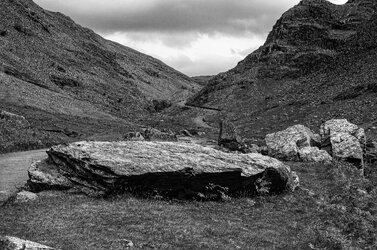
In no way a criticism, but I use PhotoLab to reduce Micro Contrast and then adjusted the shadow fine contrast to bring out detail in the darker areas. See what you think…

DSC_0004 Ascent of Honister Pass_DxO.jpg
 
I am at a loss to understand why I should use Photolab! I use Photoshop which will do/ has done the same task and your version is hardly any different to mine when viewed back to back with each other.
 
I like this. I think I marginally prefer Joanna's version with the lifted shadow, though on the other hand the 'revealed' shadow does look a bit forced. I would venture that the upload on both is a bit 'crunchy'.
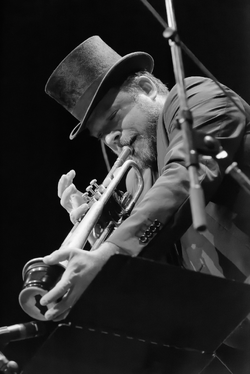
 
I would venture that the upload on both is a bit 'crunchy'.
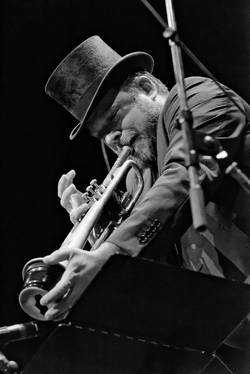
This seems to be quite a common problem when folks want bring out detail.

First, the original is a JPG and this is always a bad starting point. for detail enhancement, since there are not enough different shades to be subtle with.

And, yes I do have to mention PhotoLab and FilmPack because they provide a wide variety of sharpening, detail and contrast tools, starting with ClearView Plus, which tends to be the one that most people seem to choose when coming from PS

No sharpening…
Capture d’écran 2026-06-17 à 16.34.15.png

ClearView Plus…
Capture d’écran 2026-06-17 à 16.34.29.png

But then they also provide micro-contrast (the next most coarse from ClearView Plus) and the four Fine contrast sliders, which allow selective fine contrast on any combination of shadows, mid-tone, highlights and/or "global"

Of course other very good products are also available but, I don't know them as well. The key to effective sharpening is an intimate of your choice of product.
 
John, the textures in your photo look slightly too rough. And Joanna, the textures in yours look far too smooth. You both need to consult Toby to find out how to get a more natural look.;)

Alan
 
John, the textures in your photo look slightly too rough. And Joanna, the textures in yours look far too smooth. You both need to consult Toby to find out how to get a more natural look.;)

Alan
Actually, if you look at mine, you will see one is quite rough and the other smooth - check the top hat. I also have several variants, created with the different sliders. I just didn't want to take up too much space in John's thread. Thanks for your input Alan
 
Joanna, but in your second photo the hands and the coat look unnaturally smooth - like melted plastic with no hint of texture. He is playing with a mute. Maybe he has muted the texture...:)
I am aware of the fact that we have discussed this before. And I know you have a preference for the smooth, grain -free look. I respect that, and like the fact that we can discuss these things and agree to differ.

Alan
 
Back
Top