Montrose Harbour and more.

Oldbones

Member
Registered
Shot this on a treasure hunt exercise with the club I am in.
Four teams of three photographers, eighteen subjects and six photographs from each person.
Harbour Scene.
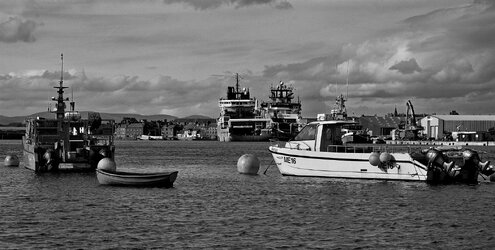
1.2.JPG

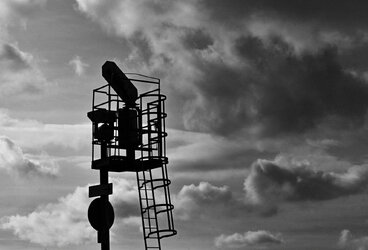
Train related
1.4.JPG

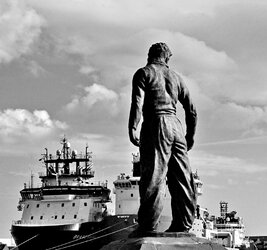
Statue
1.1.JPG

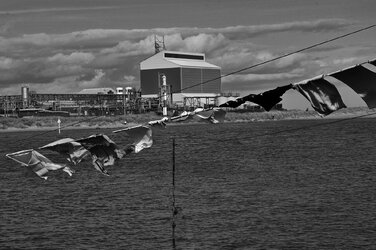
Industry
1.5.JPG

People at work
1.3.JPG
I did have another but its not black and white.
 
Last edited:
The stand out for me is the third one. I don't know, but I guess he represents a Docker or Stevedore. They were strong and tough people and the lighting on the statue adds to that feeling on what is already a strong representation of those qualities in the statue.
 
Two, three and the last one for me. The silhouette is just interesting, the docker is evocatively and eternally looking at his reason for being there and I like the quiet confident look of the lass heating the milk although I will note that the reflection in the coffee machine is more in focus than she is and there a tad distracting. Interesting idea for spending an evening as well.
 
I like the statue, and well seen. However.... There is a good bit of space above the statue's head which if the image had included a bit more of his feet and the ships (without partially decapitating him), I think that it would be a little more balanced.
 
Plenty of variety in your choice of subjects. I think that's a good approach to stretch your skills. I agree the statue is the pick of the bunch although the focus on the main subject (the statue) is a little soft. In my view it either needs to be properly soft or sharp.

If I am out shooting generally, I often leave the hyperfocal distance set on my lens so that, even if I forget to check the depth of field, everything will be in focus without thinking about it. Also great for grab-shots and street.

If I consciously want to manipulate the focus point or depth of field, I can do so at the point of taking the the shot, returning the lens to the hyperfocal point afterwards. If you are forgetful, like me, a small piece of tape on the focus ring to hold it in place can help.

Nick Carver's tutorial is quite good:


Hope something of this helps.
 
Back
Top