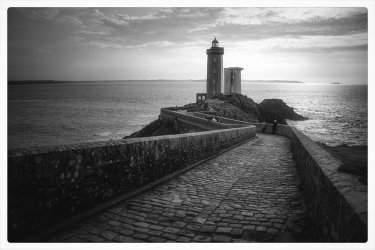
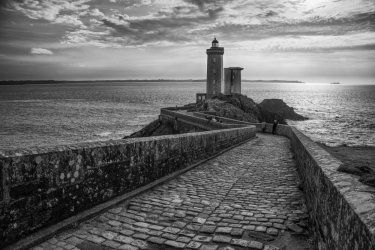
OK, my mistake, Sorry.


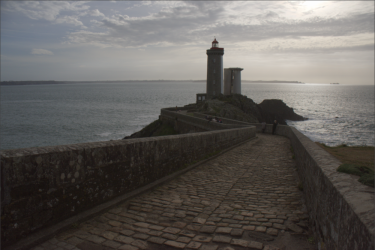
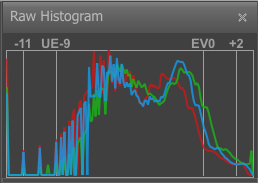
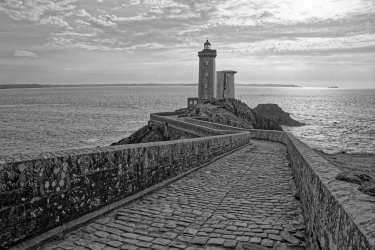

I'll provide a RAW file taken at the same time, with the same settings, but that I was going to bin because of too many people. But, but be aware that the file is 76MB! How do you want me to do this?
| Camera Bracket settings | Optimum number of exposures for merging photos to HDR |
|---|---|
| -1.5 to +1.5 | 2 |
| -3.0 to +3.0 | 3 |
| -4.5 to +4.5 | 4 |
| -6.0 to +6.0 | 5 |
Yes.Why not post the same RAW file as this image? Is it a copyright thing?
And that is what I saw when I took the picture. A very flat light coming through high cloud, apart from the odd beam of light breaking through on the sea but not on the land.Joanna, looking at the image everything looks to have a similar tonal value, hence for me at least visually, it looks flat.
Which might be interesting if I were using Adobe software, which I no longer use. I use DxO and, as explained, there is plenty of dynamic range in the Nikon D810 sensor to provide a 13-14 stop exposure in one single file. I have many such pictures with just the same DR, which come out fine, as has this one, but only if you were there to see what the scene looked like and realise that the final image is as visualised. After all, it is a centre-jour shot and I would not expect anything between me and the sun to have anything but the minimum in the way of shadow detail; otherwise, it would start to look like HDR, which is not what I want.The engineers at Adobe developed exposure blending to work best with only two exposures
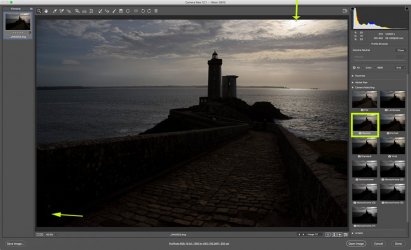
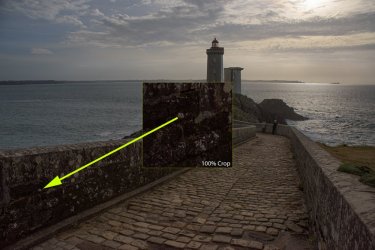
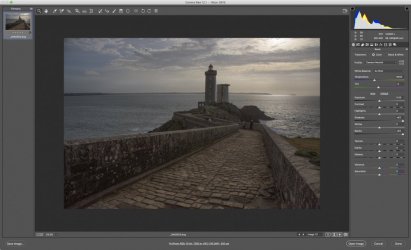

Would you consider allowing the members to download the actual RAW file so they can get an idea of what your doing by looking at the file in their own RAW converter

 , thanks for letting us look at your Raw file Joanna
Nah, go for broke and get the D850. Why settle for 36Mpx when you can have 45?I ever buy a Digital camera, it would be this one
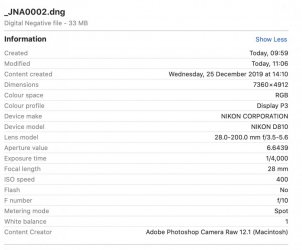
Just a little correction Ian - the shutter speed was 1/4000, as shown in your screenshots of ACR
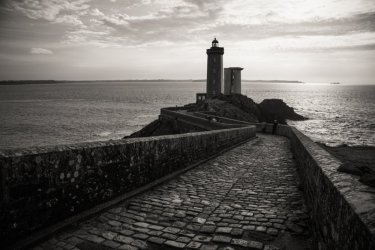
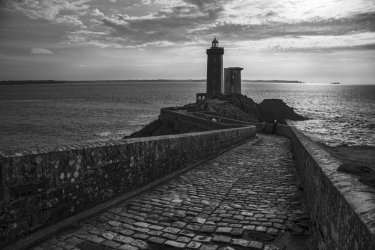
I suppose that might depend on the tool you are using. Using DxO, I've never come across that issue; it also allows me to play with highlight, mid-tone and shadow contrast, both globally and selectively.Thanks Joanna, an interesting thread to follow. If i may i would like to throw another element into the mix. I own a D850 and the DR is pretty impressive, however i have noticed that when faced with a file where i want to boost shadow detail the micro contrast can suffer a tad.
Since I can't mix multiple images in DxO, I have had to work out how to do it all in one shot - a digital equivalent of the N+/- process with B&W film. Except I can do the same with colour as wellSo i pondered on the subject for a while and came up with the following thought.
If you take the dynamic range of 15 stops and then lay this over a gradient of 10 zones as per Ansel Adams zonal system. Then if you want to shift an area from zone one to zone 8 then this is possible in terms of exposure, however the image starts to look a little brittle and crunchy. So if i know that i am faced with a high DR image in the field i would rather record the zones at capture and then have the option of masking them in in PP...just a thought.
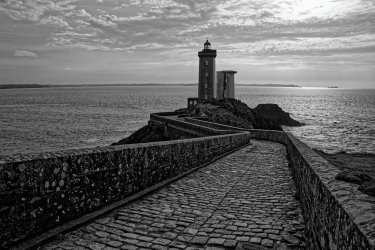
Johanna, this looks better than the original, more realistic, in my opinion that's because of the Shadows...I suppose that might depend on the tool you are using. Using DxO, I've never come across that issue; it also allows me to play with highlight, mid-tone and shadow contrast, both globally and selectively.
Since I can't mix multiple images in DxO, I have had to work out how to do it all in one shot - a digital equivalent of the N+/- process with B&W film. Except I can do the same with colour as well
Anyway, here's another reworking of the image, taking hints from the various versions you have kindly submitted.
View attachment 9949
I found the important thing was to increase the contrast only in the shadows rather than globally.… this looks better than the original, more realistic, in my opinion that's because of the Shadows...