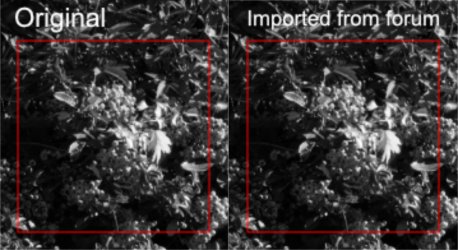
Quite often comments are made that artefacts could be introduced into photographs when they are uploaded to the forum. I thought it worth just checking if this was the case with a simple test.
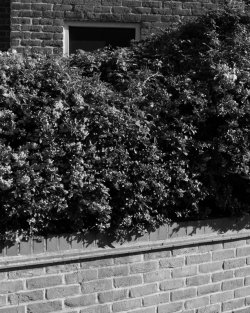
The photo following was converted to monochrome from RAW and then exported to 1080-pixel wide best quality JPEG in Affinity photo. The resulting image was drag and dropped into the discussion pane here on the forum. Its subject matter was chosen to have some busy areas with lots of transitions of greyscale (bush with berries), and plain areas with fewer transitions (brickwork etc.) which might stretch a compression algorithm (if such exists) during upload.
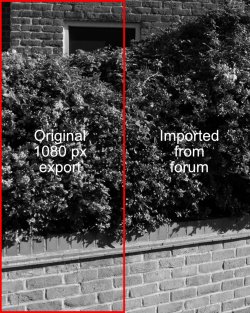
I copied the photo above from the forum and then overlaid it on the 1080 pixel original. At the macro level there doesn't appear to be any difference between the two.
This is not what you might call a thorough test but it looks to me like the act of uploading a 1080 pixel JPEG encoded image to the forum using drag and drop does not affect its quality adversely.
How about banding (contouring) artefacts experienced when uploading an 8-bit image of a sky?
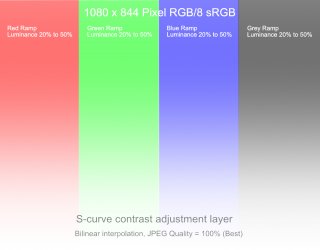
I tried to reproduce this by generating an 8-bit gradient chart from luminance = 20% to luminance = 50% in Affinity Photo which is typical of an overcast sky shot. I added quite a strong s-curve contrast adjustment before exporting the chart to simulate some editing.
I have to look hard to see evidence of banding on a 14" screen at a distance of 2'.
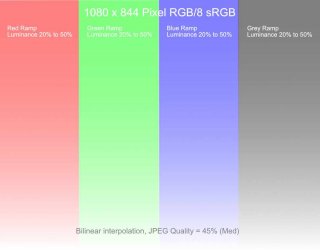
In fact, the only way I found to introduce some banding was to export the image at a lower JPEG quality level. It starts to become obvious below a quality level of about 50% and gets progressively worse if the quality is reduced further. Note, this image does not have contrast adjustment.
This site uses cookies to help personalise content, tailor your experience and to keep you logged in if you register.
By continuing to use this site, you are consenting to our use of cookies.