Better Linear Scan Conversions With DBW Linear Scans

ian barber

Admin
Registered
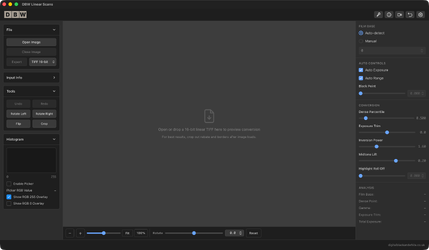
DBW Linear Scans is designed specifically for photographers working with linear scans. Rather than treating the file like an ordinary image, it gives you a focused workflow for turning a scanned negative into a usable black and white positive.

 
If you haven't tried this app from Ian yet I would seriously suggest you give it a try!
I installed it this morning and ran a whole bunch of trials on my old Linear Scans and compared them to the results obtained through Ian's app.
Chalk and cheese compared to how I have been making my negs into positives up to now. Massive improvement.
Well worth a try if you work this way, I was really surprised at the difference it made.
 
Last edited:
Compared to the output from Vuescan with default 16bit TIFF settings is this app designed to give an improvement ?

Yes because the inversion is not a basic flip.
Providing you scan the negative as a linear scan with no gamma encoding applied to it, people are reporting improvements.

You can downdload the trial version to test on your own negatives but make sure they are scanned as linear.
 
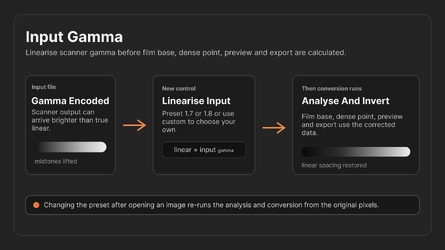
I've just released an update to DBW Linear Scans Version 1.0.6 which adds Input Gamma presets and a Custom Input Gamma control.

This new feature is designed for situations where your scanner or scanning software outputs a gamma-encoded file instead of a true linear scan.

DBW-Linear-Scans-Input-Gamma.png

The Input Gamma setting is not a creative adjustment or contrast control. It simply tells DBW Linear Scans what gamma your input file appears to have so it can first linearise the scan before performing the normal negative-to-positive conversion.

For example:

"You gave me a gamma 1.8 file. I'll put it back to linear gamma 1.0. Then I'll do the negative conversion."

The available presets are 1.0, 1.5, 1.6, 1.7 and 1.8, with a Custom option for fine-tuning if you know your scanner's characteristics or have calibrated it with a step wedge.

If your scans are already linear, just leave the setting at 1.0.

Download the free trial version for Mac or Windows
 
Back
Top