Adobe PS Problem

John2

Well-Known Member
Registered
Since the last up date to PS I'm finding an annoying problem. The first image I view from Adobe bridge produces my normal workspace. After that. for any subsequent image, the workspace boots up with only one or two tool showing in the tool bar with the remainder replaced by a column of plus signs. Rebooting the the whole computer starts the cycle again. I'm familiar with the tool bar reset, set up and additional tool options but nothing seems to cure this. I could delete PS and reload it but setting up all of my plugins is a real pain and I will avoid that if I can. Anyone have the same problem/a fix.
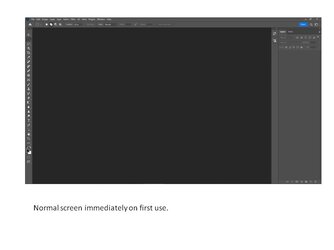
 
Thanks Ian. See below. Since my first post, I have discovered that if I open PS and then call up an image using the "open" option under file, I can open all images without a problem. However, my normal workflow has been to open PS by selecting an image in Bridge and doing this is where the problem shows itself. Looks like there might be interaction between the two Apps.

Normal workspace.jpg
PS screen 2.jpg
 
This looks to me as though the prefs file is not rendering properly. I know you probably don't want to do it but under the Edit Preferences resetting the prefs file on Quit is the first thing I would do

Screenshot 2023-07-26 at 15.37.55.png
 
Tried that thanks Ian but it has made no difference. It's a strange one this. I think I will give it a couple of days just in case it's not just me and Adobe launch a fix. After that it's a long re install this W/E.
 
Tried that thanks Ian but it has made no difference. It's a strange one this. I think I will give it a couple of days just in case it's not just me and Adobe launch a fix. After that it's a long re install this W/E.
I gave up with Brigde several iterations ago- it was a a complete PITA. It just didn’t work

I use LR to catalogue and open files and edit in Ps

TBH if you don’t use additional adobe apps other than for photo editing then you don’t need Bridge
 
I think I have sorted this problem, at least for the time being by re installing the last version before the recent update. The good news is that it retained all of my settings and plugins. (fingers crossed). I will reject any further updates for a while. I should add that this is the first time that I have had a problem with a PS update.
 
Back
Top