NEW Photoshop Picture Mounts Plugin

ian barber

Admin
Registered
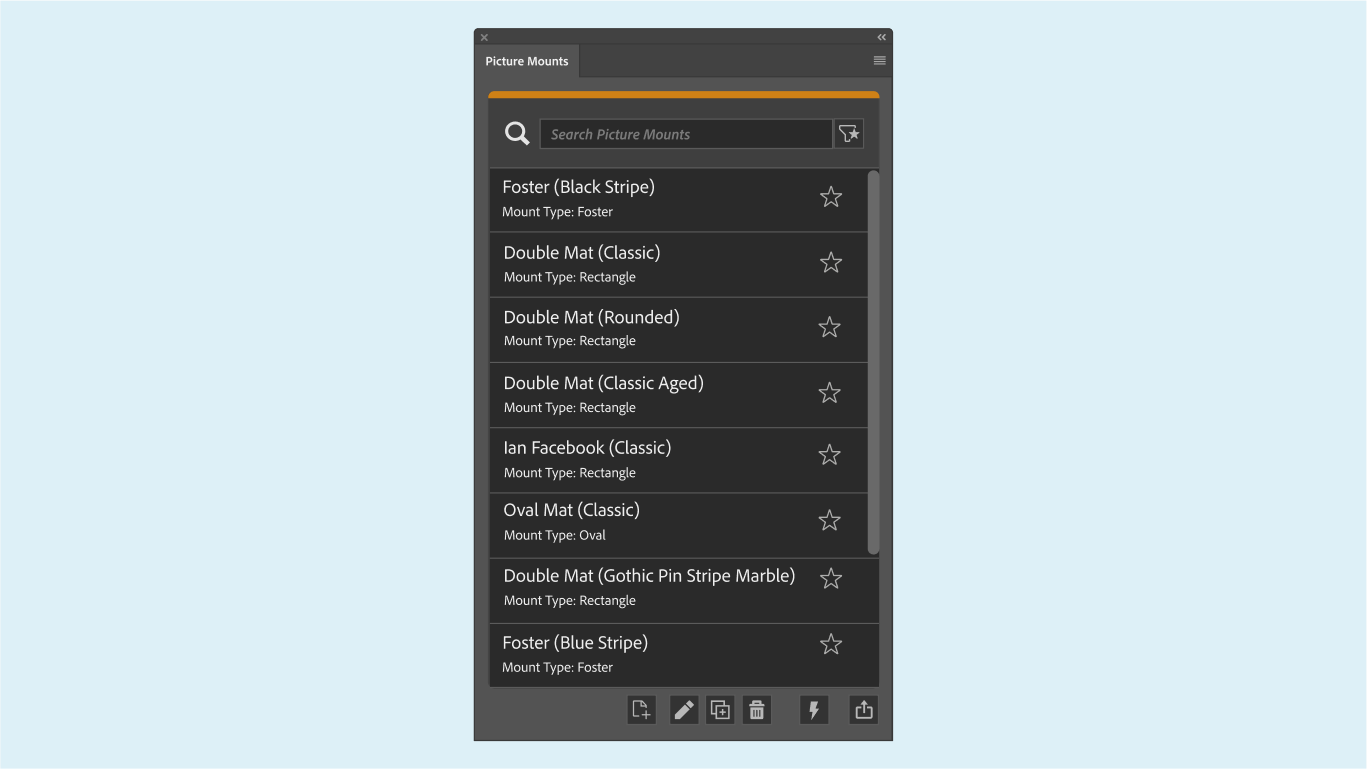
This latest edition of the Photoshop picture frames plugin introduces a host of innovative features to enhance your digital artwork showcasing experience. Completely reimagined and rebuilt from the ground up, this new iteration leverages cutting-edge core coding techniques available for Photoshop Plugins, ensuring optimal performance and seamless integration with your workflow.

Explore customizable options, from selecting various mount styles and sizes to adjusting colors and textures to perfectly complement your artwork. Whether you’re a seasoned professional or a budding artist, the intuitive interface makes it easy to achieve stunning results with just a few clicks.


Now Available
 
Hi Ian,
I have used an earlier version of the mounts and have missed them. I am logged in to the forum but when I go to make the purchase my email and password isn't recognized. I am posting rather than sending a personal message in case other members might be able to help me know how to solve this issue. Thank you!
 
Just to say this is a must download plugin to add to you're options to frame the pictures you create, so many choices in this release, hard work to make but well worth it.
 
Hi Ian,
I have used an earlier version of the mounts and have missed them. I am logged in to the forum but when I go to make the purchase my email and password isn't recognized. I am posting rather than sending a personal message in case other members might be able to help me know how to solve this issue. Thank you!
Hi
I have sent to a PM on the forum
Ian
 
Picture Mounts Plugin updated to Version 3.01

What's Changed
"Added new default mount: Double Mat (Sandstone Outer Mat)",
"Added new default mount: Double Mat (Grecian Corners Linen)",
"Added new default mount: Single Mat (Grecian Corners Linen)",
"Added new default mount: Triple Mat (Homemade Paper)",
"Fixed issue with pattern list not loading in some cases.",
"Added document mode warning for unsupported document modes."

For those who already have version 3.0, you can download the new version from within your account.

My 20% Discount code for newcomers is due to expire very soon

 
My Picture Mounts Plug-in has disappeared from PSCC 25.11. Have tried searching my computer (Mac Ventura 13.6.7). Can someone please tell me how to get it back? Have done a computer search but it doesn't show up. My download link has expired.
 
My Picture Mounts Plug-in has disappeared from PSCC 25.11. Have tried searching my computer (Mac Ventura 13.6.7). Can someone please tell me how to get it back? Have done a computer search but it doesn't show up. My download link has expired.
First thing to try is to...

Open Photoshop, on the top menu, select Plugins and then Plugin Panel which shows you all the plugins you have installed.
If you cannot see the plugin, then I suggest downloading it again from your account on DBW

Once downloaded, open the zip file and then double-click on the CCX file
 
Back
Top