


-
Thank You For Visiting... Please Click Here and sign up to contribute
You are using an out of date browser. It may not display this or other websites correctly.
You should upgrade or use an alternative browser.
Driving in the mountains
- Thread starter Vijay Mathew
- Start date
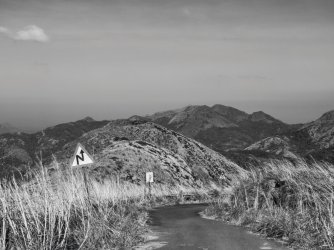
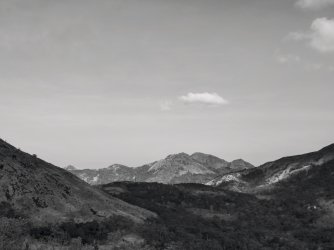
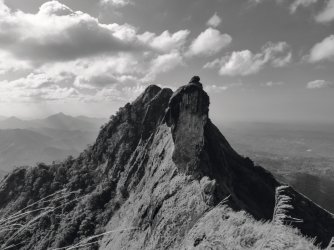
That looks to be a fairly wild and wooly place. Location, please!
That looks to be a fairly wild and wooly place. Location, please!

Illickal Kallu - Wikipedia

Vijay, this is an impressive location, and the compositions are fine. I feel that the files are a little flat, and that there is potential within them that could be realised with some careful contrast grading.
Thanks Toby for the feedback. I am still figuring out a post-processing workflow that can produce more pleasing results, may take a little more time. These jpegs were processed in-camera.Vijay, this is an impressive location, and the compositions are fine. I feel that the files are a little flat, and that there is potential within them that could be realised with some careful contrast grading.
Yes, apart from the dramatic landscape those gorgeous skies could do with a little tweaking to bring the clouds out a bit more. (I seem to be on a skies and clouds kick at the moment.)

Like Toby I agree with him about the tonality. The one with the mountain peak in particular the grass or vegetation in the foreground is very flat. Martin Henson one of the owners of the site suggested to me a while back, judicious use of the burn or dodge tools with photoshop to locally increase or decrease the tonality before a lot of the fine detail is lost Tried it an yep it does work.Thanks Toby for the feedback. I am still figuring out a post-processing workflow that can produce more pleasing results, may take a little more time. These jpegs were processed in-camera.
If your camera has (most do) the facility to record the image in RAW you loose nothing of the original tones and they are not compressed which further degrades the quality which happens in jpg. I never use jpg. I don't know what post capture software you use but you will need one that has the facility to convert a RAW image to one that PS (or similar) can use.

John, thank you for editing the image. Following the feedback I got here, I did some more tweaking of the images. They may be only slightly better than the originals, but I hope I will reach there eventuallyI took a screen shot of your mountain peak image and using only the Dodge and Burn tools with a touch of contrast I came up with this. The file was quite small so care had to be taken but I will leave it for your decision.


I shoot RAW and process to jpegs in camera. Sometimes I do minor contrast/tonal adjustments in DarkTable.Like Toby I agree with him about the tonality. The one with the mountain peak in particular the grass or vegetation in the foreground is very flat. Martin Henson one of the owners of the site suggested to me a while back, judicious use of the burn or dodge tools with photoshop to locally increase or decrease the tonality before a lot of the fine detail is lost Tried it an yep it does work.
If your camera has (most do) the facility to record the image in RAW you loose nothing of the original tones and they are not compressed which further degrades the quality which happens in jpg. I never use jpg. I don't know what post capture software you use but you will need one that has the facility to convert a RAW image to one that PS (or similar) can use.