

What better way to pass Christmas Day than to take a trip to one of the many lighthouses that surround our coast
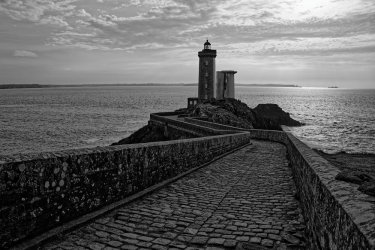
Last edited:


If you can't see detail in the rocks to the left of the walkway, then it's your screen.On my screen, it seems a bit underexposed.

But it wasn't frontal lighting, it was very much backlit.I would have expected it to have more luminance in this scenario and scene especially with strong frontal lighting.
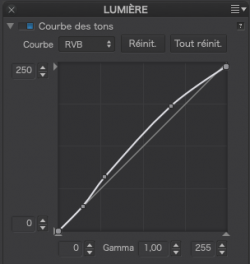
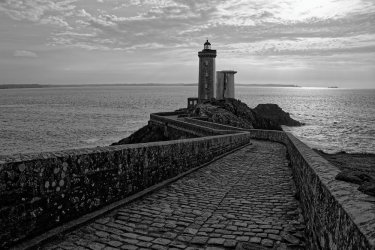
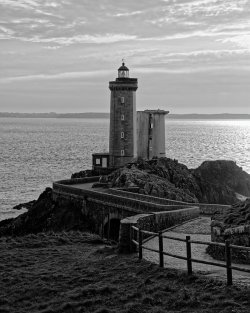
With such low winter light, coming towards the camera, through a veiled sky, where the land falls away to the sea, very possibly.Well all looks same to me Joanna, maybe it was the lack of light on the land.
It's not just the curve, it's also down to DxO's excellent film emulations in their FilmPack module; they change all sorts of things, including the response to different colours. Fuji Acros tends towards orthochromatic, which might account for the lack of contrast given the colour temperature of the light at the time.As regards the curves adjustments, I really don’t see how a new curve shape can replicate the film look and type
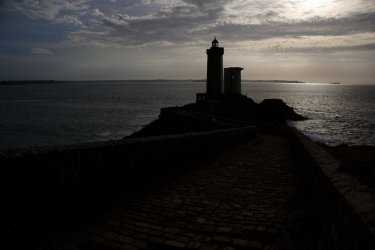
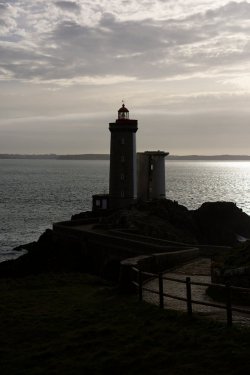
Those are the images in this postcan we see how the image looks straight out of the RAW converter before any other editing is added
I have spent a lot of time working out just how much dynamic range I can get out of my camera (as I discussed with Ian in another thread). The image is not actually under-exposed, it is correctly exposed, using ETTR to give me a file that has fully recoverable shadow detail, within the range of the sensor's capabilities.What I thought Joanna, the underexposure even though you can bring it back, which is its self rather impressive, has a negative impact on the tones, at least I think so, the higher values and shadows detail that would have been there had the land been exposed correctly have been killed by lack of exposure. I don't think the ETTR works very well in this situation.
I know, from much experimentation, that creating such a single image will give me a file whose shadow detail can be recovered from as low as the measured EV - 11 stops. With this knowledge, I don't need to go to the trouble of taking multiple shots, as in HDR; my camera already gives me enough range in one image.In cases like this would it not be better to expand the tonal range by using separate exposures for land, sea and sky then blend them, your probably going to say you didn't have a tripod, if that's the case then I would say that what could have been a very good BW image has been lost.
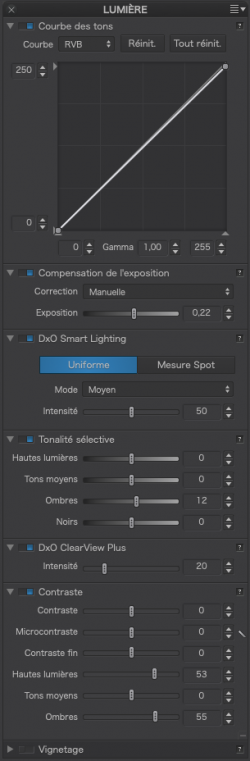
Of course film emulations can never be identical to real film, since there are so many different ways you can process the film to change the look and feel.I am still not convinced these "film packs" react like the real thing using appropriate development, its a faux effect, I can visualize and I think you possibly can being a LF user how this would have worked with film far better from one exposure than ETTR.
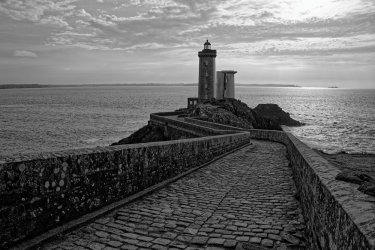
That good eh?Hmm...

That good eh?
That really does sound like your screen isn't calibrated. I can see detail on the screen of the iPad I am using to write this, as well as on my calibrated MacBook Pro.Yes, for me I can see no detail in the darks to the left of the pathway.
That really does sound like your screen isn't calibrated.
