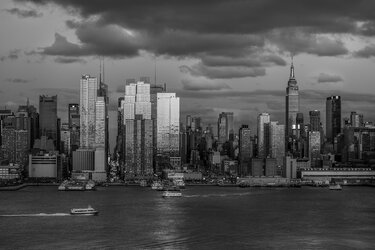
Today At Magic Hour

TBH José this looks like one of those images that works really well in colour but doesn't translate so easily into mono
 
I like it Jose however I would have thought the magic hour would have been a tad (little) brighter
Thanks for looking Martin, I think the reason I took this picture in a spot that I see almost every day, is that it was unusually gloomy on this day after much raining all day. So it was rather dark and overcast while the setting sun behind me did shine beautiful light against that skyline. Which leads me to...
TBH José this looks like one of those images that works really well in color but doesn't translate so easily into mono
Yes, true. I don't think it makes much sense to convert it to mono except for practice trying to match the pleasing qualities that it has in color. I believe I have quite a ways to go.

This is very much practice of a new workflow that I'm learning from within LR. Which, well...I'm at the beginning of a big learning curve.
 
. while the setting sun behind me did shine beautiful light against that skyline.

I don't think it makes much sense to convert it to mono except for practice trying to match the pleasing qualities that it has in color..

So.... that beautiful light really needs teasing out in mono...
and
Might it help to ask yourself what exactly those pleasing qualities you see are...easier to translate to mono when we're clear about what we're trying to achieve?

If it's any consolation , it takes me AGES trying to get images to work in mono.
Yes to everything.

I agree a tad brighter for me . good image of the skyline though
Yes, Nokin. I agree.

I'm still working on this shot, it's a pain in the ass. Simon is correct in that the color version just naturally, without much adjustment at all looks just fine. To make it work monochrome requires much more effort to capture what the color version has rather effortlessly.

Let's see what happens. It's excellent practice.
 
_4190071-2.jpg

_4190071-2.jpg

Thanks for the looking and for the feedback folks.

At my spot on the learning curve, I could fiddle with this picture for a long time, without being satisfied. Your comments have helped a lot.
 
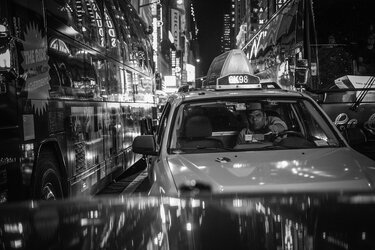
Oh! The wide street with all of the lights in the L third of the picture is 42nd Street leading up to Time Square. At about the midpoint of that street is where I took this picture, that I posted a while back:

P1130412_.jpg

Thanks again, for looking.
 
Wow !! That is one busy image. Excellent shot through the windscreen of the driver,
Well done . and well seen
 
View attachment 6010

Thanks for the looking and for the feedback folks.

At my spot on the learning curve, I could fiddle with this picture for a long time, without being satisfied. Your comments have helped a lot.

It's an improvement:It would be an interesting exercise to keep going José, push it until it is too much, then pull back a bit.(esp with the the gradient and radial adjustments in LR)
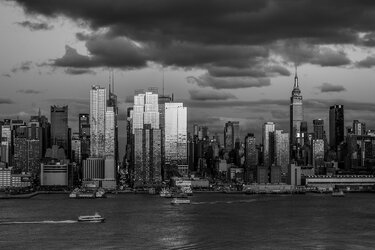
e.g. clouds are OK but can you get some more luminance in the sky? Then it would not look odd to lift the water a little more. I especially think that light reflection on the water can take more emphasis. G'won...I'm itching to see what more can be done...
:D
 
It would be an interesting
_4190070-Edit-1.jpg

_4190070-Edit-1.jpg

This is the posted result of the Silver Fx Pro "Wet Rocks" filter with no other adjustment. Just color, raw file, unprocessed picture, opened in Silver Fx Pro from LR, wth "Wet Rocks" filter applied.

As per, Simon's request here: http://www.digitalmonochromeforum.co.uk/threads/lightroom-silver-efex-pro-hmm.3711/

On my monitor, the shadows seem a bit darker than in SFX, but still, it seems to me to have much more depth then, well, I've been able to do with this picture myself. I'm going to try Toby's suggestion on that thread above as well.

Thoughts?
 
Sure it could use some lifting of the shadows but all-n-all, I wish I could achieve that "drama" on my own without relying on SFX. For now, I'll try Toby's suggestion, and use the SFX versions as a reference in LR.

Maybe it's all an exercise in eye-training.

Thoughts?
 
Upon reflection...

The thing is that I like a lot of the tonal values of the SFX version but hate the "manufactured/digitized look of it."

The wheel keeps turning...

I think I like my first one best of all.
 
Maybe it's all an exercise in eye-training.
yes probably


OK one thing I find I do is edit an image, post on here-immediately take it down again because invariably I don't realise til I post that it lack global contrast
I just tend to edit light, therefore global contrast is something I find I leave til last too,,try increasing the contrast after your other edit
I find actually that like with the HL and W sliders I am balancing the contrast and clarity sliders at the end.
point is, the 'simple' contrast slider can work magic if thats what the scene lacks
Thanks, Simon.

It would be an interesting exercise to keep going José,
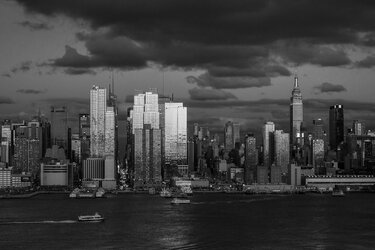
Yes, Simon. I like that idea. This is a challenging picture for me. Lot's to learn working on it.

_4190071-3.jpg
_4190071-3.jpg

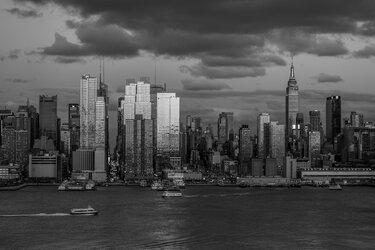
..."here we go again." This time, only Global adjustments (no grey B&W Mix adjustments) and Gradient adjustments applied to Upper and Lower sections of the picture (top-to-horizon & bottom-to-shoreline). The focus of this version on tonal distribution in the histogram (while viewing picture of course).

No local adjustments (yet). :)

Thanks for lookiing.
 
_4190071-4.jpg
_4190071-4.jpg

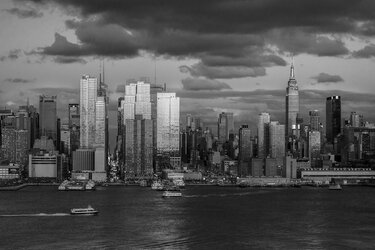
I'm posting this version of the picture in order to compare a prior version with only global adjustments prior to using the x-touch mini controller and this one after using the x-touch mini, and also with only global adjustments.
 
Back
Top