

-
Thank You For Visiting... Please Click Here and sign up to contribute
You are using an out of date browser. It may not display this or other websites correctly.
You should upgrade or use an alternative browser.
You should upgrade or use an alternative browser.
Evening Light
- Thread starter John2
- Start date
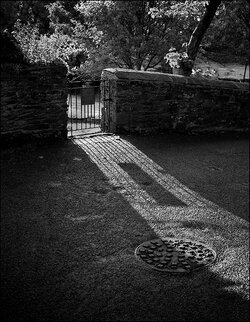

Well seen and nicely presented and thanks for the gift, John.
Norman
Norman

On my monitor, the highlights of the leaves on the left, center, and right are kinda blown-out. Also, at the foot of the gate. (Maybe too much clarity?)
Otherwise, really like the shaft of light through the gate and the way it lands on the manhole cover.
Otherwise, really like the shaft of light through the gate and the way it lands on the manhole cover.
John, have you considered cropping away all the foliage to the top of the wall and a little from the road at the bottom to give a square format?
Norman
Norman
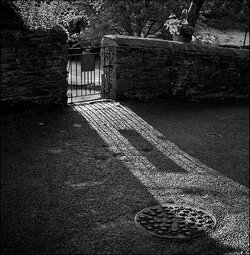

The burning in doesn't work at all. Much prefer the original.

You know I often here this "uploading to the forum does subtly change an image" in reality there should be little change, check that the file is tagged with a sRGB profile, also after resizing reopen the image in your prefered editing sofware and check to see if it has gone a little dark, (usually happens) I would on a layer lighten the image just a touch more to the original, leaving the highlights covered by the layer mask, you can then add a very tiny amount of disply sharpeneing but dont over do it, flatten, save and upload.
What you should have is a very very near representation of the original, after all, we are all judged to some extent on what we see on the forum, so best take a little time to get it right.
What you should have is a very very near representation of the original, after all, we are all judged to some extent on what we see on the forum, so best take a little time to get it right.

You know I often here this "uploading to the forum does subtly change an image" in reality there should be little change, check that the file is tagged with a sRGB profile, also after resizing reopen the image in your prefered editing sofware and check to see if it has gone a little dark, (usually happens) I would on a layer lighten the image just a touch more to the original, leaving the highlights covered by the layer mask, you can then add a very tiny amount of disply sharpeneing but dont over do it, flatten, save and upload.
What you should have is a very very near representation of the original, after all, we are all judged to some extent on what we see on the forum, so best take a little time to get it right.
Absolutely agree Martin. It wasn't a criticism of the forum, just a statement of fact. The image profile is sRGB and I very often repost images after slight adjustment in order to make the difference. I just didn't get it right on this occasion.
"It wasn't a criticism of the forum" I know it wasn't John, it was just a generalization that any image that are not up to an edited standard or over cooked quite often the blame is put on uploads and not the artist 