

-
Thank You For Visiting... Please Click Here and sign up to contribute
You are using an out of date browser. It may not display this or other websites correctly.
You should upgrade or use an alternative browser.
You should upgrade or use an alternative browser.
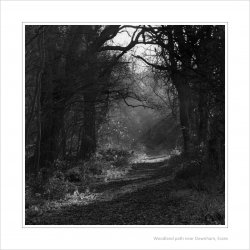
Woodland path near Downham, Essex
- Thread starter Glenn
- Start date
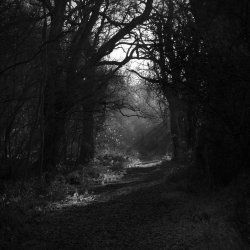

Its a shame that the aperture was so open, because I feel that there would have been more to draw out from the foreground trees, but I think they're out of focus. Still, I think some more light on the trees this side of the clearing wouldn't go amiss, and on the path too.

@Toby Webster
... yep, you were right. Tried using the gradient tool to progressively lighten the path and have lightened the image over all. It works much better now IMO.
... yep, you were right. Tried using the gradient tool to progressively lighten the path and have lightened the image over all. It works much better now IMO.
Last edited:
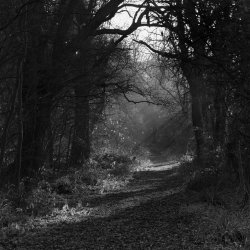
Definitely better.
Now if it were me, I'd now employ the extraordinarily useful control point tool in SilverEfex to selectively let some light into the tree tops, but I don't think you have access to it with your software. In Photoshop you might use the the history brush tool set to 'Screen'. I do think those very solid areas do need to be pulled up a little. You might also clone out those very bright spots of light that are showing through.
I'm sure Martin would point you to a method that you could access with your software.

Regarding Toby’s suggestion: and re software: I’m assuming that Affinity does not have a non destructive raw editor in it- if so have you tried RAWPOWER?
It’s another program I got at first launch but not got around to using but it has very good credentials and is cheap!
Reason being, to to the edits Toby suggests , I’d be using Lightroom and it’s something I’d do before taking into photoshop
My approach is to do all global work on the raw file in light room (or ACR) before doing any local workings, so highlights and blocked shadows become much easier to edit after for the local stage
The honest answer is that I don't know, but if I understand correctly, Affinity's 'Develop' persona is their RAW editor. It is the default starting point when a RAW file is imported and allows a number of non-destructive adjustments including basic image (I use the levels control to give myself a little headroom against clipping highlights and shadows as my very first step), lens corrections, curves, etc.
Once 'developed' then the non-destructive 'Develop' persona adjustments are lost (a bit like flattening) and the file is saved in their proprietary .afphoto format. It is possible thereafter to work non-destructively by using layers and these are preserved after saving so you can switch layers on and off at any time. Flattening is available if you want to save space. The afphoto files are considerably larger than the NEF (=RAW) files so I assume it preserves the RAW files' uncompressed nature..
Affinity does allow for plug-ins and I am pretty sure some have used it with Silver Efex. Not sure about RAWPOWER.
On the basis that I am still exploring what I can do with Affinity I am sticking with it for the moment. Plug ins are definitely on my to do list to explore at some point though.
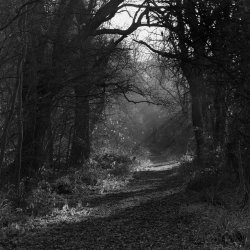
So: the three bright highlights have been cloned out and I added some brightness in the tree tops using curves.
So: the three bright highlights have been cloned out and I added some brightness in the tree tops using curves.
I was interested to see if I could recreate Martin's faux framing and how it affected the feel of the photograph. I have a copy of Affinity Publisher which I never really got to grips with (I have been making my photobooks with Blurb's Bookwright) so this seemed a good opportunity. I find publishing programmes easy to use for this kind of thing because they are optimised for layout and it is easy to set up a template for future use. The frame does add something to the image I think. It seems more finished somehow.
Last edited:

Gosh, this is an old post, pretty much my first one here as I recall. Yes, I a still use Affinity Photo and Affinity Publisher. I don't really use plugins although I have a couple LUTs that I found online and downloaded. My usual workflow is to get as much right in camera as I can with minimal editing. Mostly it is a matter of levels adjustment, BW conversion (using old PAL TV/JPEG weightings), curves adjustment (global and localised with a layer mask), minimal sharpening (ditto) and cropping. I sometimes tone using LUTs although I keep meaning to work out how to get the same effect with split toning which is less destructive and has a finer tonal resolution. That pretty much meets all my needs.
Have you found Martin's contrast grading videos yet? They're a good introduction and are easily implemented in Affinity Photo with a few minor changes.
Have you found Martin's contrast grading videos yet? They're a good introduction and are easily implemented in Affinity Photo with a few minor changes.
Last edited:
l learned more from Martins contrast grading than any other mono technique and I had a lot of books on itHave you found Martin's contrast grading videos yet? They're a good introduction and are easily implemented in Affinity Photo with a few minor changes.