Assorted B&w

John King

Well-Known Member
Registered
4 assorted images from over the years

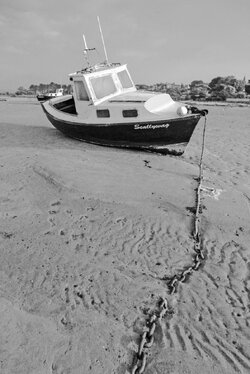
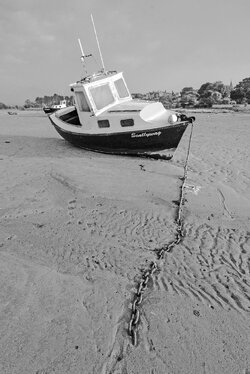
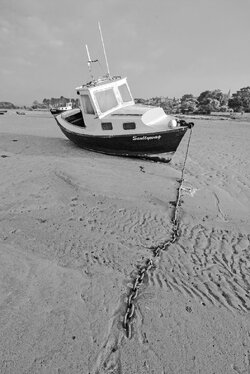
Low tide at Alnmouth. Taken with a Bronica Sq and a 40mm lens + FP4+
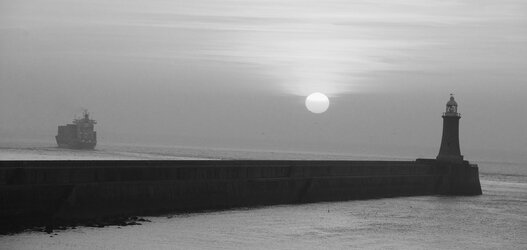
Leaving the Tyne. Nikon D300 and 70/300 Nikon Lens
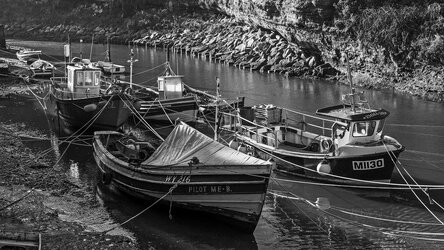
Staithes harbour. Nikon D300 and 10/20 Sigma lens
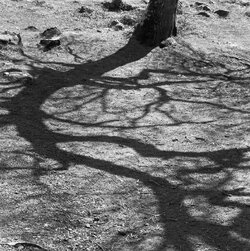
Twisted Hawthorn Tree. Bronica Sq and 40mm lens + FP4+


Low Tide, Alnmouth .jpg Leaving the Tyne at dawn.jpg Low Tide, Alnmouth .jpg Leaving the Tyne at dawn.jpg Low Tide, Alnmouth .jpg Low Tide, Alnmouth .jpg Staithes harbour.jpg Staithes harbour.jpg Twisted Hawthorn.jpg Twisted Hawthorn.jpg
 
Last edited:
Agreed with the one 'Leaving the Tyne'. The other is straight, it is the opposite riverbank creating a false perspective that is difficult to alter without making something else look out of kilter.
 
Agreed with the one 'Leaving the Tyne'. The other is straight, it is the opposite riverbank creating a false perspective that is difficult to alter without making something else look out of kilter.

Definitely not straight John. I've had the old magnifying glass on those houses in the background. I would think that if you were to work by that straight edge to the right of the boat, perhaps its a quay, you will nail it. Actually, I can see the spire of the church above it, and that is seriously awry, there must be some barrel distortion of some kind.
 
Ah, I see what you mean. As it was a 40mm lens on a Bronica it will be down to lens distortion due to the wide angle equivalent to about 24mm on 35mm. The camera was pointed down at quite a steep angle to get the end of the chain in the frame. A even using distortion control in Photoshop would not cure it completely.
 
Last edited:
I have just tried using the lens correction with PS and yes it does almost correct it but not quite and that is with the slider at maximum to the right. The downside is you loose the end of the chain when the correction is applied.
 
See what I mean about the loss of the chain links
 

Attachments

  • Low Tide, Alnmouth .jpg
    Low Tide, Alnmouth .jpg
    491.4 KB · Views: 4
I just opened it in PS and straightened the horizon, which I think looks better and keeps the gap at the end of the chain. Nothing will make the church spire stand upright though, except I guess some deft selective use of the transform tool.
 
Yay! I did it, easy.

Select a small square around the spire > Edit > Transform > Skew. Grab the top left corner, and pull the spire upright, just drawing the bottom right hand corner out as well. Needs the clone tool just to tidy up a small gap in the tree below the spire. I did the same with the leaning houses.
 
Low Tide, Alnmouth_adj.jpg

I hope you don't mind. The chimneys are still slightly skewy, but would only take a few seconds to sort out in the original file.
 
Apart of that ... I rather like that flock of boats (pilot f eb and such). Lots to see, crispy contrasts, nicely done. Eyes wandering along the curves of the boats, the water, the other river bank. Mhhh. Old stay a while.

The other photos didn’t make me stop and think, so I missed out on the skewed chimneys and such. Sorry.
 
Back
Top